




Join Our Community
Interested in MCS? Schedule your educational success consultation today!
This year, our school community experienced a profound loss with the passing of our beloved principal, Mr. Allyn Atadero. Though his time with us was brief—just two years—his impact was deep, lasting, and unmistakably powerful.
Below you will find a video that is a celebration of Mr. A’s life and legacy. Through the voices of students, staff, and friends, and through the memories we hold dear, we remember the laughter he brought, the wisdom he shared, and the compassion he lived out each day.




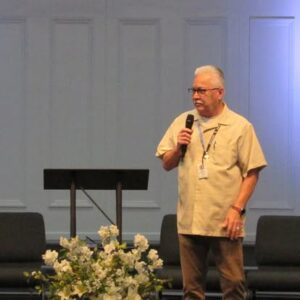



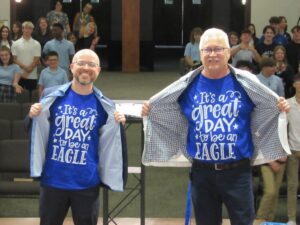




To Mr. A , thank you. Thank you for your service, your love, your faith, and your unwavering belief in all of us. You will forever be part of the story of MCS, and you will always have a place in our hearts. As Mr. A always said, It’s a Great Day to be an Eagle!

We use Pikmykid as our school dismissal platform. If you have not yet downloaded the app, check out the document below for information on how to set it up:
 Loading... Loading...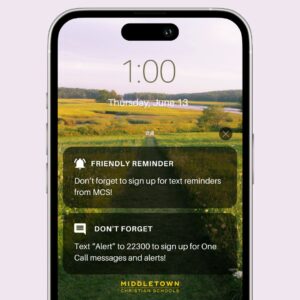
We are utilizing the text messaging feature through One Call for additional communication.
In order to sign up for text message alerts through One Call, please text “Alert” to 22300. You will receive a confirmation text once you are signed up.
Message and data rates may apply. Message frequency may vary. Recipients may reply HELP for help with One Call. Recipients may reply STOP to opt out of One Call at any time. Learn more about One Call by following the links below:
Terms & Conditions: https://www.onsolve.com/platform-products/critical-communications/one-call-now/textalerts/
Privacy Statement: https://www.onsolve.com/company/privacy/privacy-statement/
If you have questions or need help, please contact Michelle Mathew at mmathew@mcseagles.net.

The 23nd Annual Middletown Christian Schools Foundation Golf Tournament will take place on Thursday, July 18, 2024 at the Heatherwoode Golf Course. The Four Person Scramble will begin with a shotgun start at 9:30 am and will conclude with dinner and prizes.
Click HERE to find out more information!
If you would like to add the main school calendar to your outlook or to your iPhone, please see below. For you iPhone, all you need to do is open this email on your mobile device and click the link below. Once you click the link it will open your calendar app and you can add the main school calendar. You can also, hide this calendar if you don’t want to see it on all the time.
Here are the instructions for adding it to your office account.
Main Calendar Link Click HERE

You can select Middletown Christian Schools as your chosen organization to receive a portion of every transaction you make when you shop at Kroger through the Kroger Community Rewards program. Please note that this is at no added cost to you. Learn more below:
Information below can be found at kroger.com/i/community/community-rewards.
The Kroger Family of Companies is committed to community engagement, positive social impact and charitable giving at the national and local levels. Every community is unique, but our common goal is to partner with the neighborhoods we serve and help the people there live healthier lives.
One of the ways in which we do this is through our Kroger Community Rewards program. This program makes fundraising easy by donating to local organizations based on the shopping you do every day. Once you link your Card to an organization, all you have to do is shop at Kroger and swipe your Shopper’s Card. Here’s how it works:
A digital account is needed to participate in Kroger Community Rewards. If you already have a digital account, simply link your Shopper’s Card to your account so that all transactions apply toward the organization you choose.
Selecting the organization that you wish to support is as simple as updating the Kroger Community Rewards selection on your digital account.
1. Sign in to your digital account.
2. Search for your organization here.
3. Enter the name or NPO number of the organization you wish to support.
4. Select the appropriate organization from the list and click “Save”.
Your selected organization will also display in the Kroger Community Rewards section of your account. If you need to review or revisit your organization, you can always do so under your Account details.
Any transactions moving forward using the Shopper’s Card number associated with your digital account will be applied to the program, at no added cost to you. Kroger donates annually to participating organizations based on your percentage of spending as it relates to the total spending associated with all participating Kroger Community Rewards organizations.
If you have any questions, please contact our Customer Service Center.
Note: If you are a customer, make sure you have a preferred store selected to view participating organizations. If you are applying on behalf of an organization, please select a store in the same area as your organization.



 Reload document
 Open in new tab